Lab: VLANs that stay apart until the router joins them
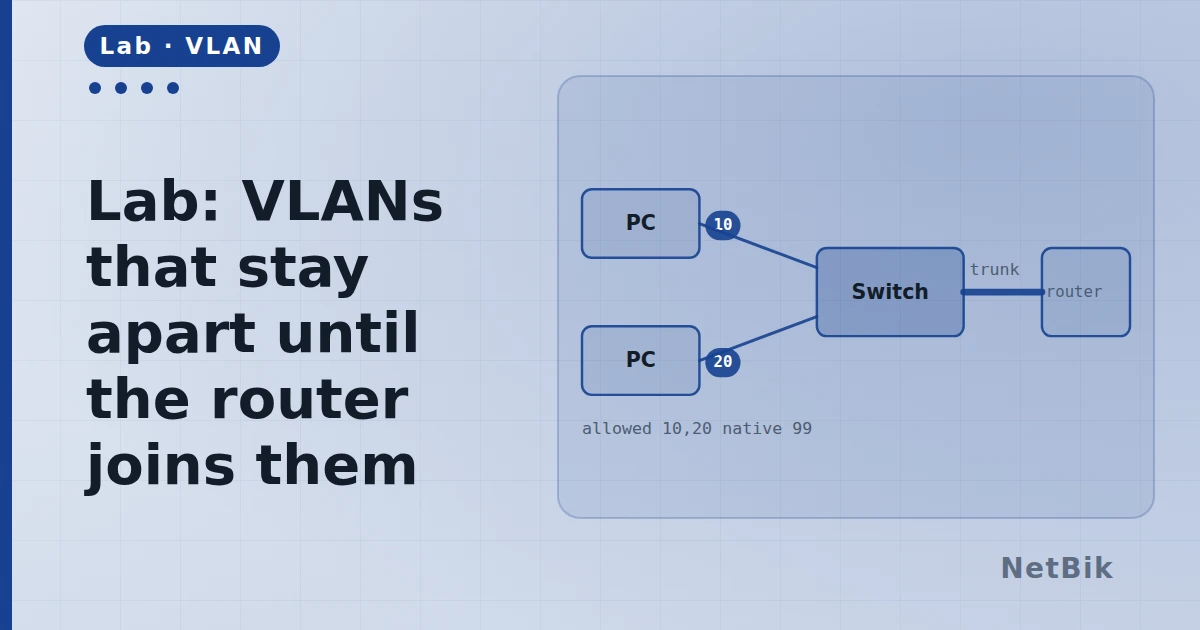
Two VLANs on one switch, a trunk, and sub-interfaces. The classic campus shape, in twenty minutes.
Two VLANs on a single switch cannot talk to each other. That is not a misconfiguration — it is the definition. This lab builds the standard way to join them.
What you are given
A switch with PCs in VLAN 10 and VLAN 20, and a router with one physical link to it.
Do this
- Confirm the two VLANs exist and the access ports are in them.
- Make the switch port facing the router a trunk, allowing both VLANs.
- On the router, create a sub-interface per VLAN, each with an 802.1Q
- Point each PC at its own gateway.
- Ping across.
R1(config)# interface GigabitEthernet0/0.10
R1(config-subif)# encapsulation dot1Q 10
R1(config-subif)# ip address 192.168.10.1 255.255.255.0
The point
One cable, two VLANs, one router. The tag is what keeps them apart on the wire; the sub-interface is what tells the router which gateway to answer as. Both ends have to agree about the tag or the frames arrive in the wrong VLAN — which does not fail, it just goes somewhere wrong.
Try breaking it
- Remove VLAN 20 from the trunk's allowed list and find the symptom **from
- Put it back with
switchport trunk allowed vlan add 20and then, on - Set the native VLAN differently on each end and watch where the untagged
Join the discussion
Replies, likes and bookmarks live in the community half, which needs a free account. This lab opens in the browser — no install, no plugin.
Open this in the communityEverything publishedHow this works